Guidance
Email Signature — update July 2025 copy page link
Version 1.0.1
An email signature is your digital business card and an opportunity to brand every message that we send. That seemingly subtle branding helps to establish and reinforce who we are as a company and builds brand recognition with every email.
It is very important that our email signatures maintain a cohesive look across the company. To achieve this cohesion, please follow the guidelines below.
Email signature standard

Kelly Hendricks
Creative & Brand Director
Marketing & Communications
Enterprise Wireless Solutions
Phone: +1-208-123-4567
kelly.hendricks@ericsson.com
Ericsson
Remote
Boise, ID
United States
cradlepoint.ericsson.com
How-to guide: Mac
Mac user: Outlook on web
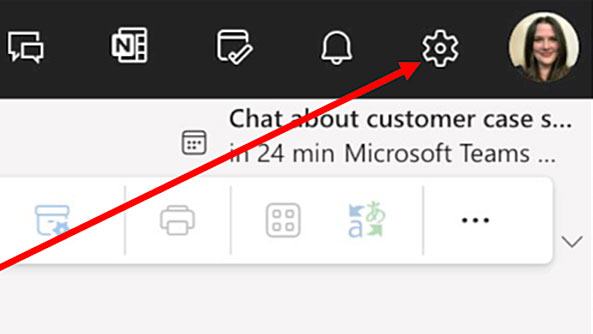
Step 1: Open Outlook in your browser. In the upper, right hand corner of your browser, click the gear icon to open “Settings”.
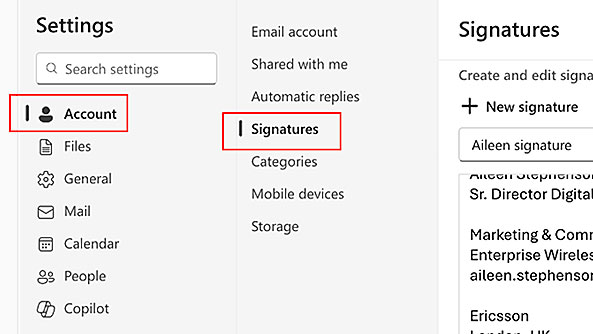
Step 2: In the pop-up window, select “Account” and then “Signatures”.
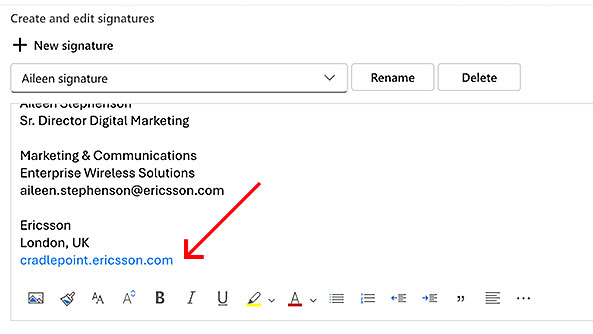
Step 3: Change the web address in your signature from ericsson.com to cradlepoint.ericsson.com
Click “Save”.
Mac user: Outlook Desktop app
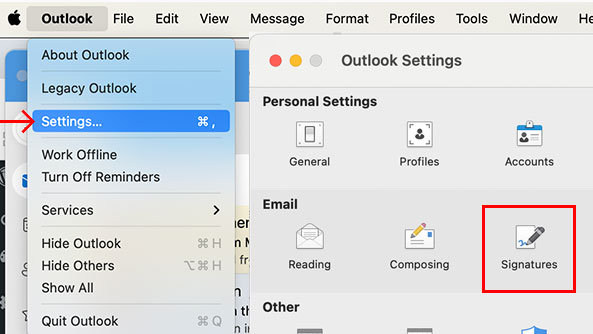
Step 1: Open Outlook on your Mac. In the upper, left hand corner, next to the Apple icon, select “Outlook” > “Settings” > “Signatures”.
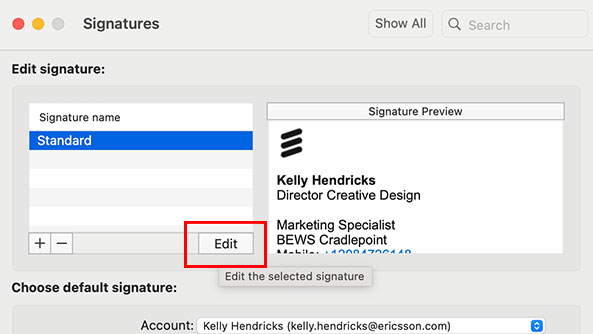
Step 2: In the “Signatures” pop-up window, select “Edit” to modify your signature (or click the [ + ] sign to add a new signature).
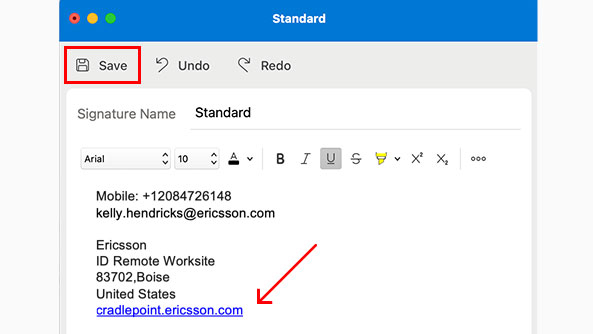
Step 3: Change the web address in your signature from ericsson.com to cradlepoint.ericsson.com
Click “Save”.
How-to guide: PC
PC user: Outlook on web
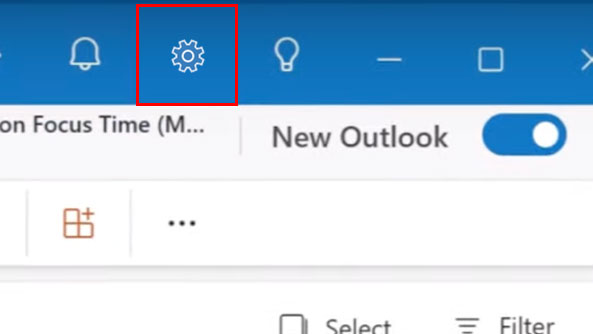
Step 1: Open Outlook in your browser. In the upper, right hand corner of your browser, click the gear icon to open “Settings”.
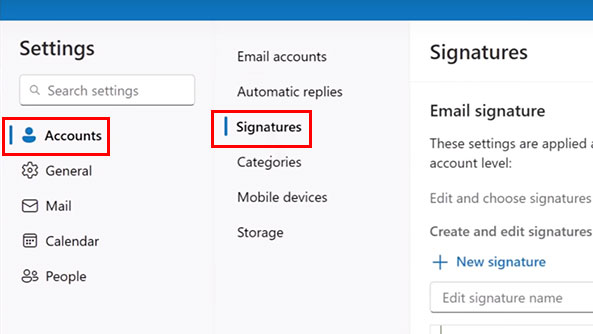
Step 2: In the pop-up window, select “Account” and then “Signatures”.
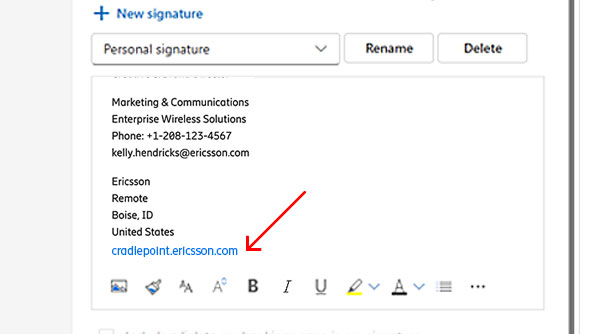
Step 3: Change the web address in your signature from ericsson.com to cradlepoint.ericsson.com
Click “Save”.
PC user: Outlook Desktop app
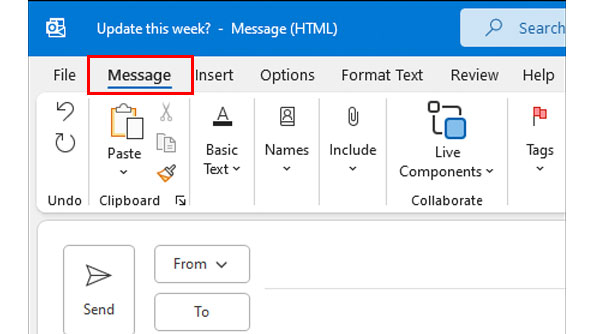
Step 1: Open Outlook on your PC and start a new email.
In the compose window that opens, go to the “Message” tab.
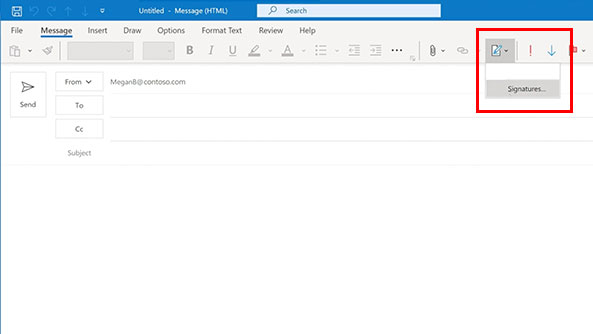
Step 2: On the right hand side of the the compose window, select the arrow below “Signatures” and choose “Signatures”.
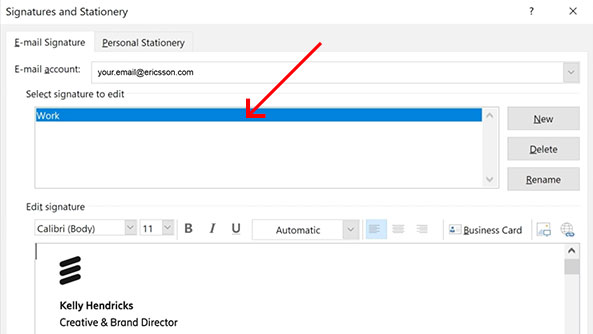
Step 3: In the “Signatures” pop-up window, edit your signature (or click “New” to add a new signature).
Change the web address in your signature from ericsson.com to cradlepoint.ericsson.com
Click “OK”.
Dos and don’ts
Yes:Use a consistent signature as outlined above to create trust and make us easily recognized.
Yes:Always use address, phone numbers, e-mail address and a web address
Yes:The singular web address for Enterprise Wireless should be "cradlepoint.ericsson.com"
No:Don't use "ericsson.com" — our subdomain shows we are part of Ericsson
No:Don't use an email signature as your personal greeting
No:Do not add any extra information or symbols to the signature
July 21st, 2025